Supersimple Inbox
Make what your AI discovers reusable.
Inbox brings you the definitions, caveats, and recurring gaps that AI agents encounter, so your team can decide what belongs in shared, governed context, and what should be fixed upstream.
Inbox
Items that need your attention or action
Clarify how on-time delivery is defined
Users are asking about on-time delivery, but the model does not define the threshold or timezone to use.
Add cost allocation data for gross margin
The AI can calculate revenue by product line, but the required cost allocation source is not available.
Define what makes an operation “priority”
Several questions use the term priority operation. The AI currently has to infer its meaning from context.
Build shared context from the work people actually do.
You cannot anticipate every question people will ask or model every relevant business rule in advance.
Often, the missing meaning already exists somewhere else. Supersimple can find and use that knowledge while doing the analysis, then show your data team when it deserves a more explicit, governed home.
Bring Inbox into the coding workflow.
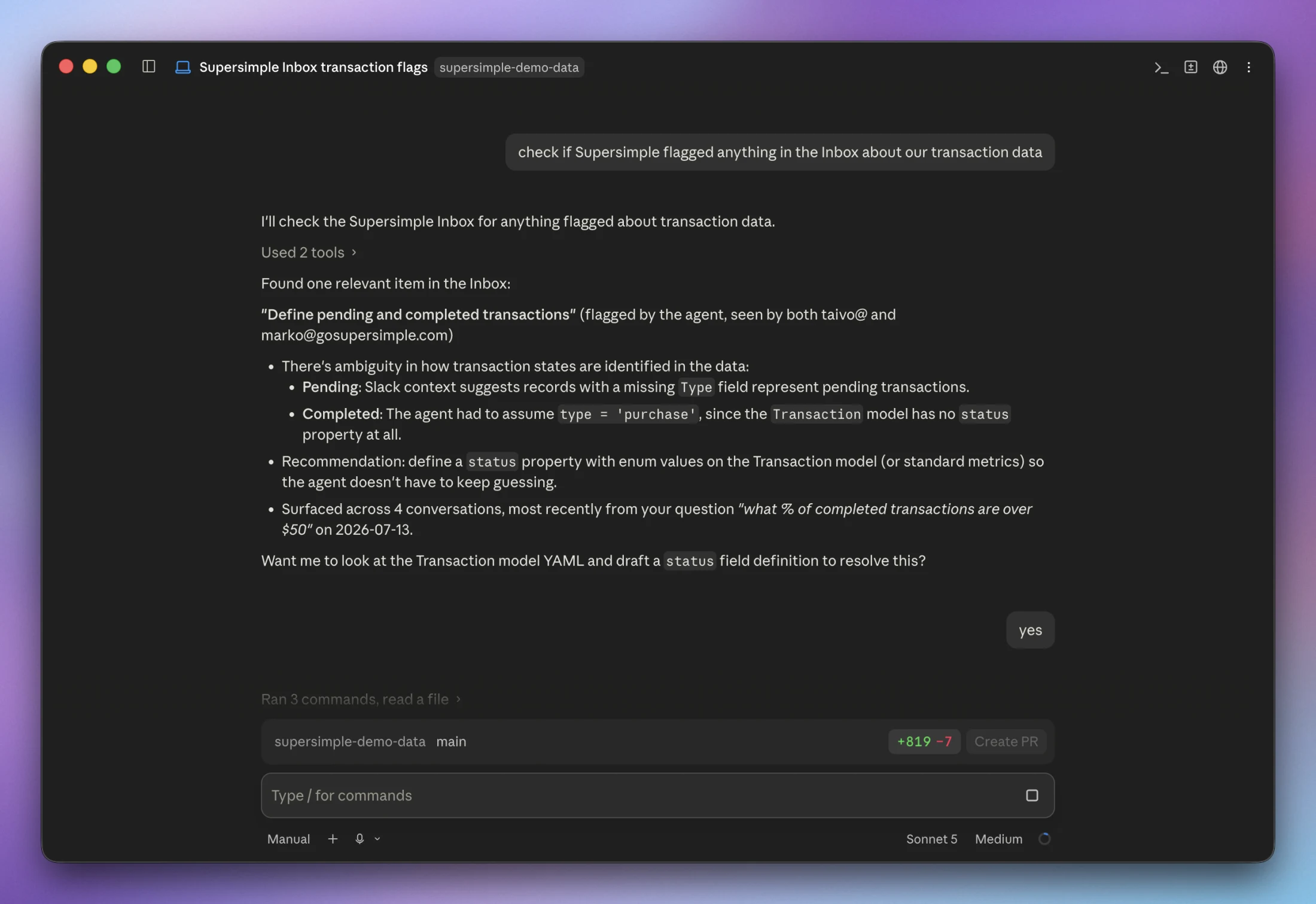
Through Supersimple MCP, coding agents such as Claude Code and Cursor can inspect open findings, trace them back to the questions and evidence that exposed them, then update the right version-controlled configuration.
Data models, AI instructions, and agent skills can all follow the same workflow. The agent does the legwork. Your normal Git review process remains in control.
Questions about Supersimple Inbox.
Does Supersimple Inbox automatically change anything?
No. Inbox records findings and the evidence behind them. Models, metrics, source data, AI instructions, and agent skills remain unchanged until your team reviews the finding and applies a change through its chosen workflow.
How does Inbox connect to our development workflow?
Supersimple MCP lets coding agents such as Claude Code and Cursor inspect Inbox items and their evidence. The agent can update version-controlled models, instructions, or skills, validate the configuration, and open a pull request. Your normal review, merge, and import process stays in place.
Does every question create a new Inbox item?
No. Inbox groups related questions and repeated reasoning gaps into shared findings. Several questions from different people can become evidence for one item instead of creating a separate notification for every conversation.
Because Inbox analyzes patterns across many conversations, it can also identify broader trends that span multiple use cases, data models, and recurring kinds of confusion.
Who can see Inbox items?
Inbox items are visible to account admins and users whose group grants the Manage Account Settings permission.
Learn from what your team’s AI discovers.
See how Supersimple Inbox turns real analytical work into a focused queue for improving your data models and AI context.