AI can read saved explorations
AI can now look up your saved explorations, copy over any content and reuse their logic. It can use both personal and team explorations you have access to and link back to the blocks it used.
New features, improvements, and fixes from the Supersimple team.
AI can now look up your saved explorations, copy over any content and reuse their logic. It can use both personal and team explorations you have access to and link back to the blocks it used.
supersimple export now includes your own Personal space explorations alongside Team ones, so they can be kept in step with data model changes too. They're marked with visibility: personal in the YAML:
explorations:
  # Team exploration – no visibility needed
  revenue-overview:
    name: Revenue overview
    folder: Finance
    view:
      cells: [...]

  # Personal exploration – imported into your own Personal space
  weekly-signups:
    name: Weekly signups
    visibility: personal
    folder: My drafts
    view:
      cells: [...]
When imported, they land back in your own Personal space. Other users' personal explorations are never included in your export.
Each Inbox item can now be opened up in a detail page. You can use this to share specific inbox items with teammates.
You can now hide individual columns of a data model from users who shouldn't see them. Add an access block to any model property, and only users matching its conditions can see, filter or use that column – everyone else still gets the rest of the model.
properties:
  salary:
    name: Salary
    type: Number
    access:
      user_parameters:
        department: hr
To avoid repeating the same conditions across models and columns, define them once under access_rules and reference them by name, like access: hr.
Read more in the model access control guide.
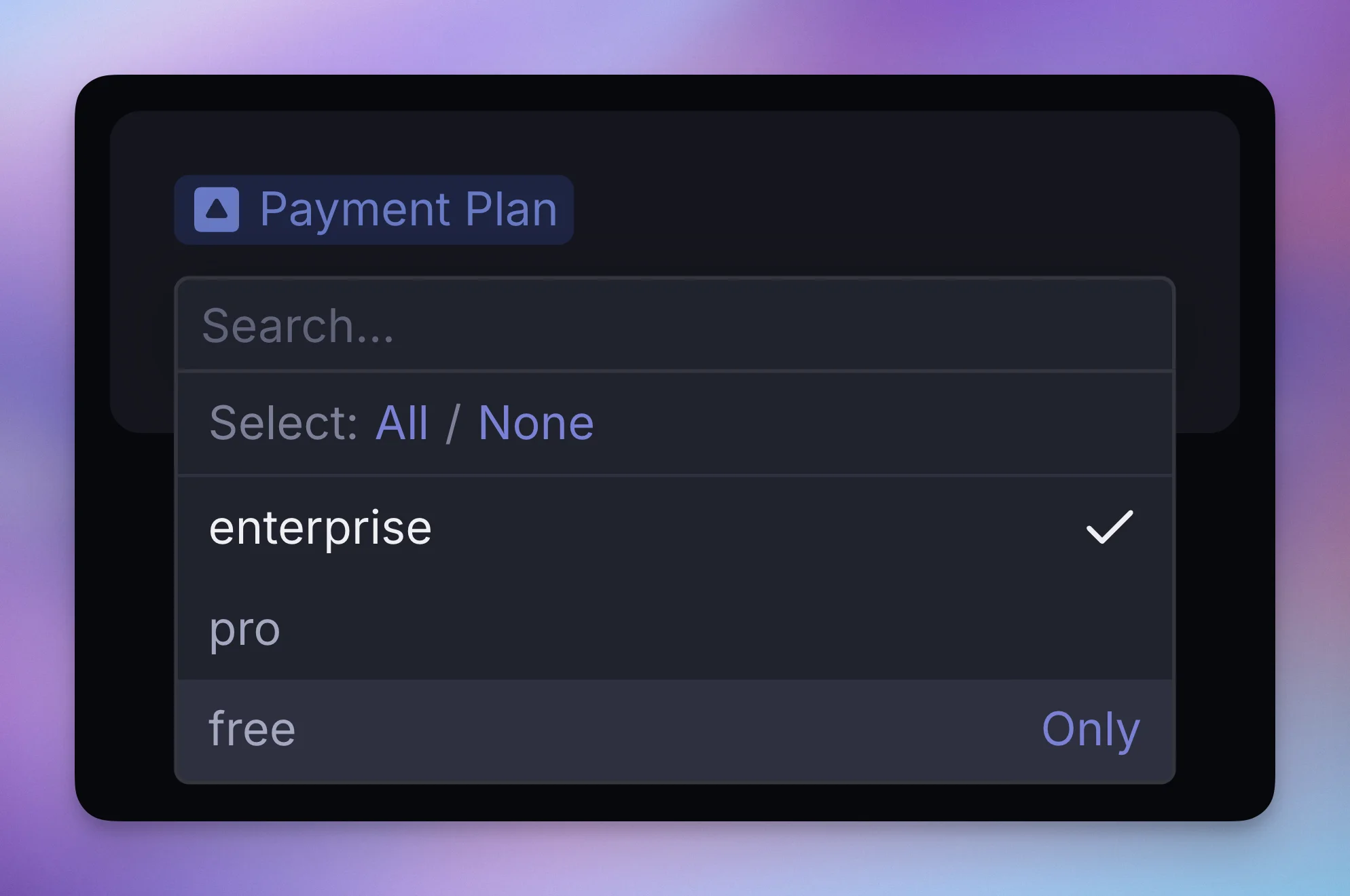
Multi-select dropdowns across Supersimple (including Variables) now have an Only button on each option for quickly deselecting everything else and selecting just the one option.
Press ⌘K to navigate Supersimple and take quick actions without lifting your fingers off the keyboard.
Use the command menu to:
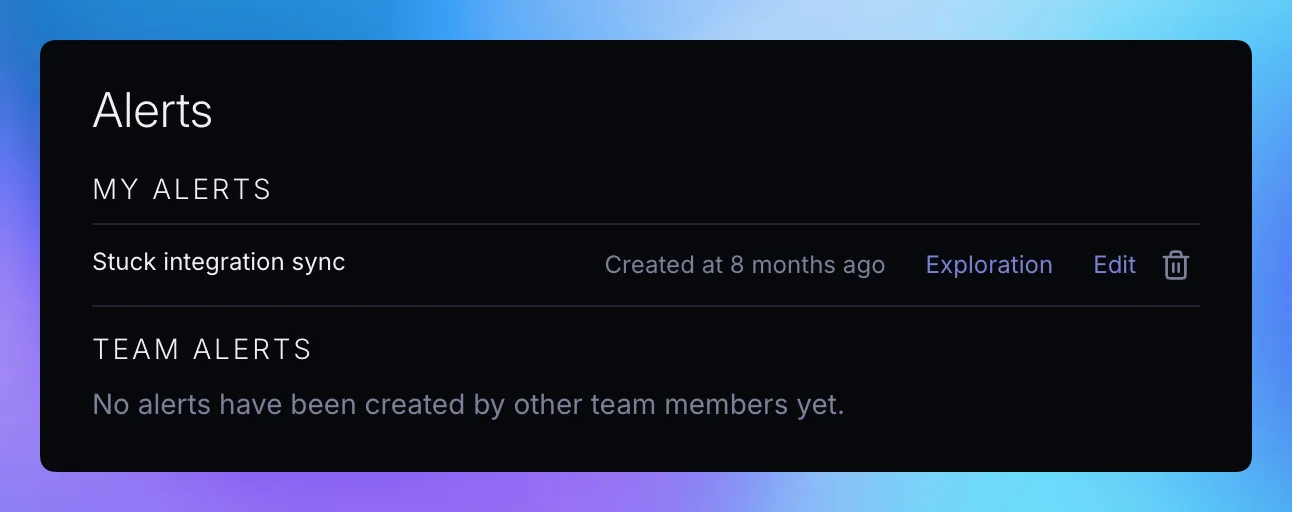
Under account settings, each configured Alert now shows its author, and your personal alerts are shown separately from team alerts.
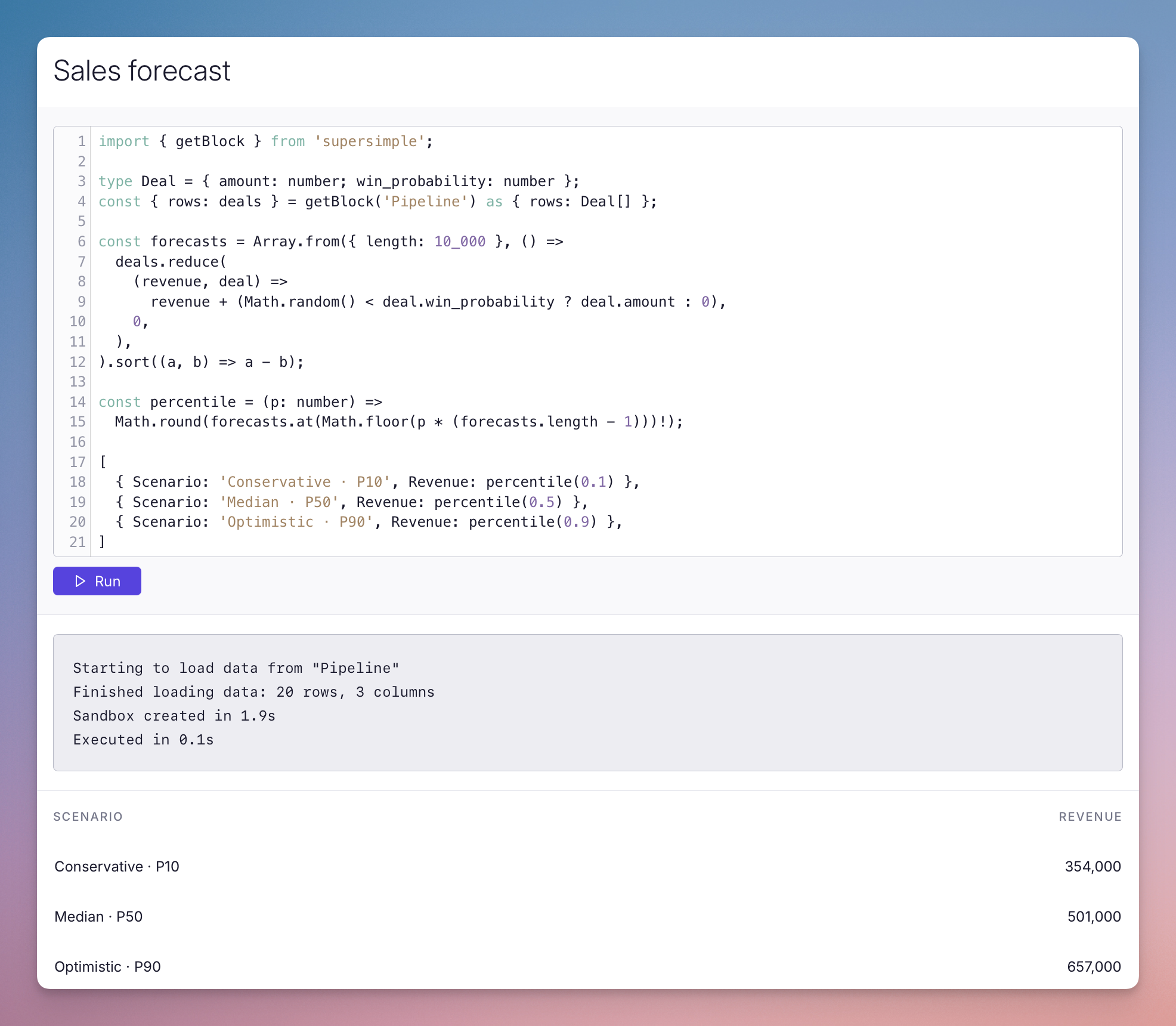
Code blocks now support TypeScript and Scala alongside Python. Use data from other blocks in your exploration to write custom calculations and display the results alongside your charts and tables.
The new Restricted user role lets you give partners and contractors access to selected parts of your workspace. Restricted users can only see exploration folders and data models you explicitly grant them access to, keeping the rest of your team's work private.
SQL blocks can now use exploration variables; autocomplete will suggest variables and set up the right syntax as you type their name.
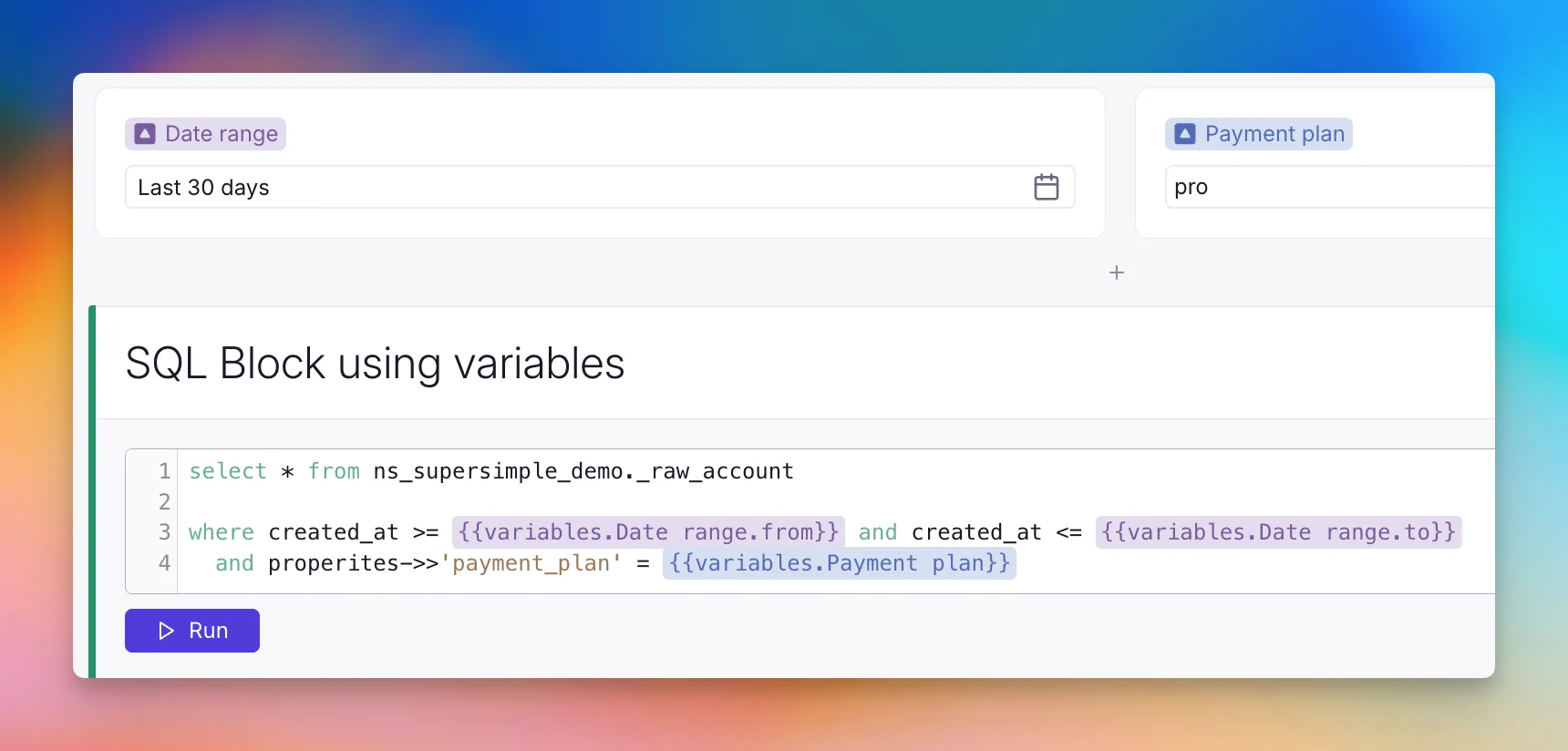
Reference a variable by name with {{variables.Payment plan}}. Date range variables also expose .from and .to, so one control can set both ends of a date filter.
Saved explorations can now be organized into folders across separate Personal and Team spaces.
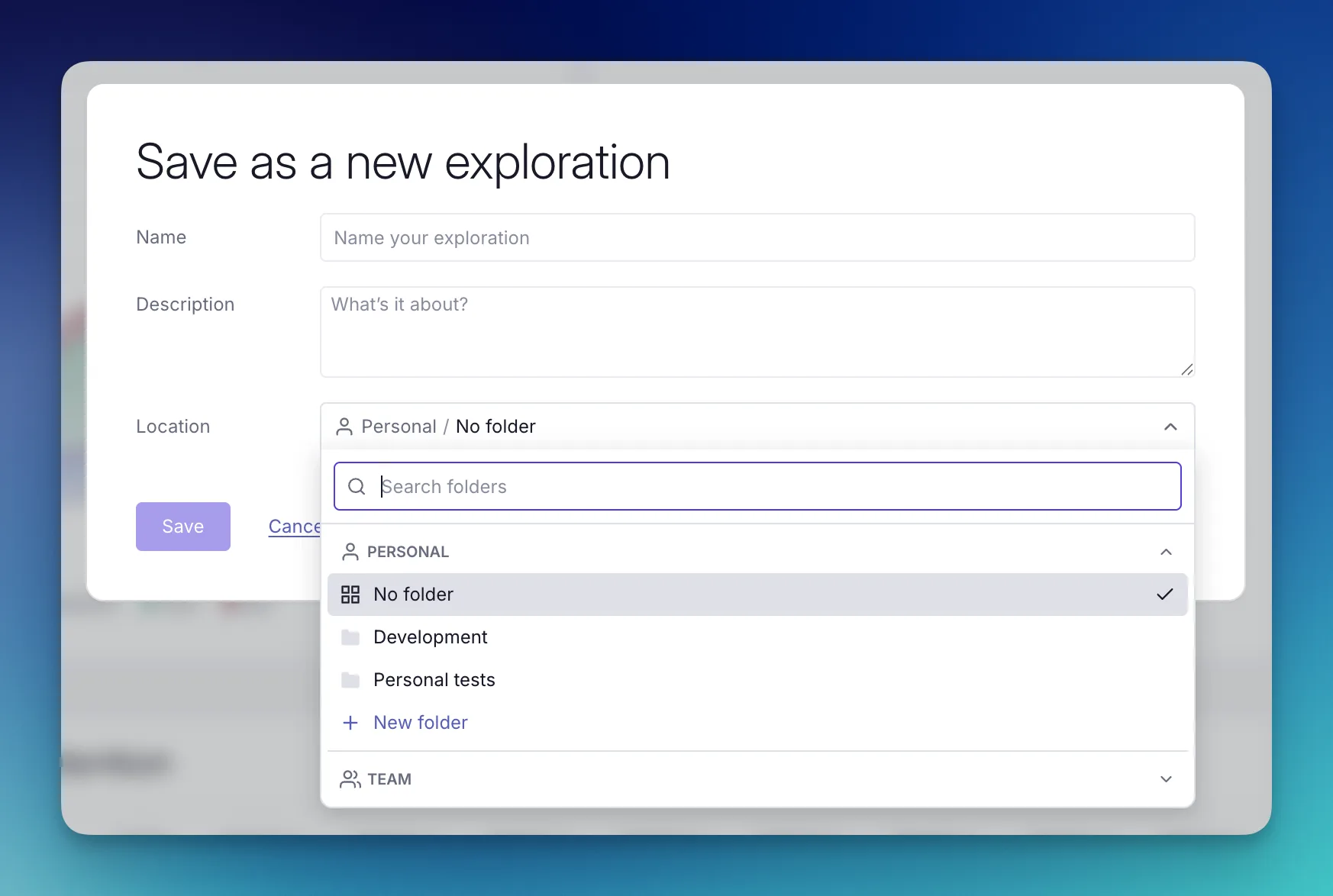
Folders are available directly in the sidebar and data catalog, making saved explorations easier to organize and find as your team's library grows.
Personal explorations remain private, but you can share a point-in-time snapshot with teammates using Copy link.
Previous edits to saved explorations can now be found under Version history in the right sidebar.
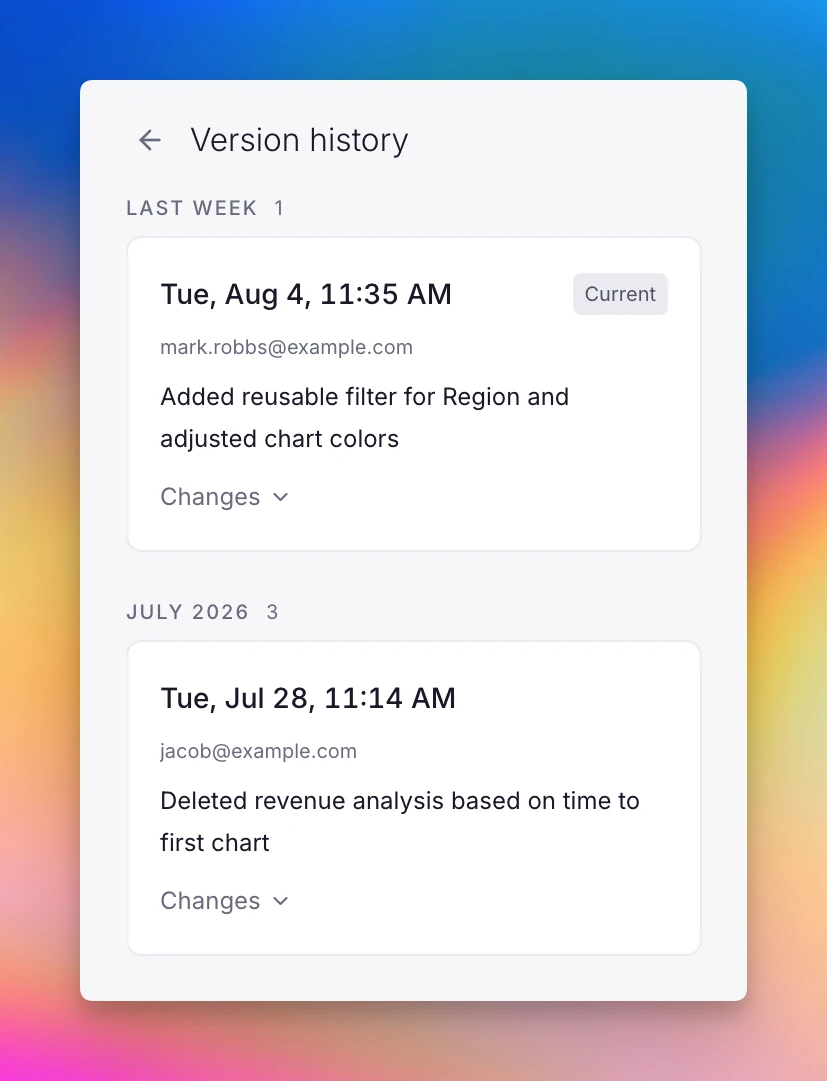
Each version shows a summary of what changed, as well as individual changes to each block. Edit history can also be accessed by your AI agents through Supersimple's MCP server.
Saved explorations can now be exported from the top menu bar on a recurring schedule or as a one-time download.
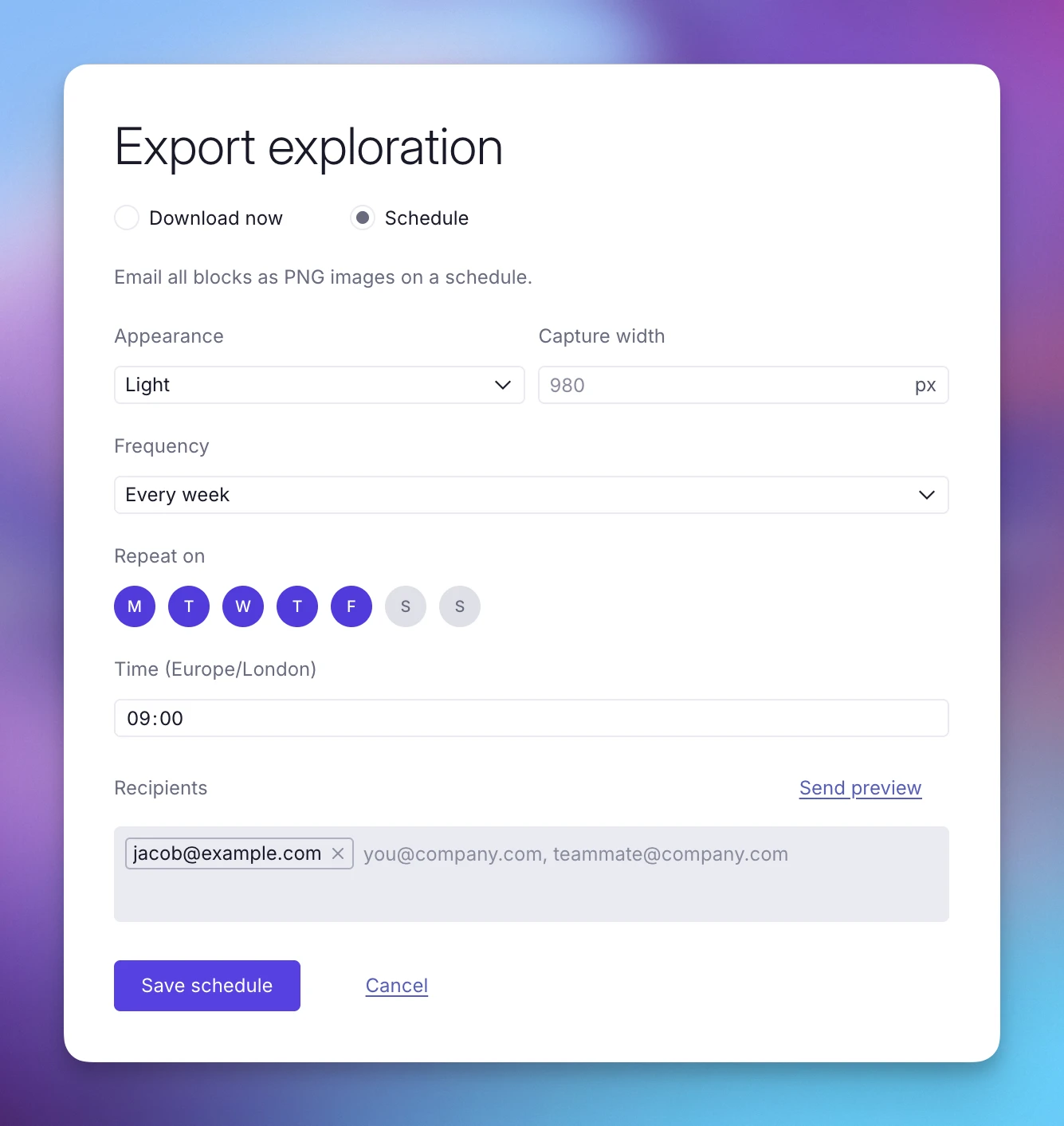
For scheduled exports, choose the frequency, delivery cadence and timing, and recipients. Both options let you choose between light/dark mode and the width at which your report should be captured.
Guide AI behavior to document gold-standard paths for dealing with specific types of questions. When answering user questions, AI dynamically loads in relevant guidance entries.
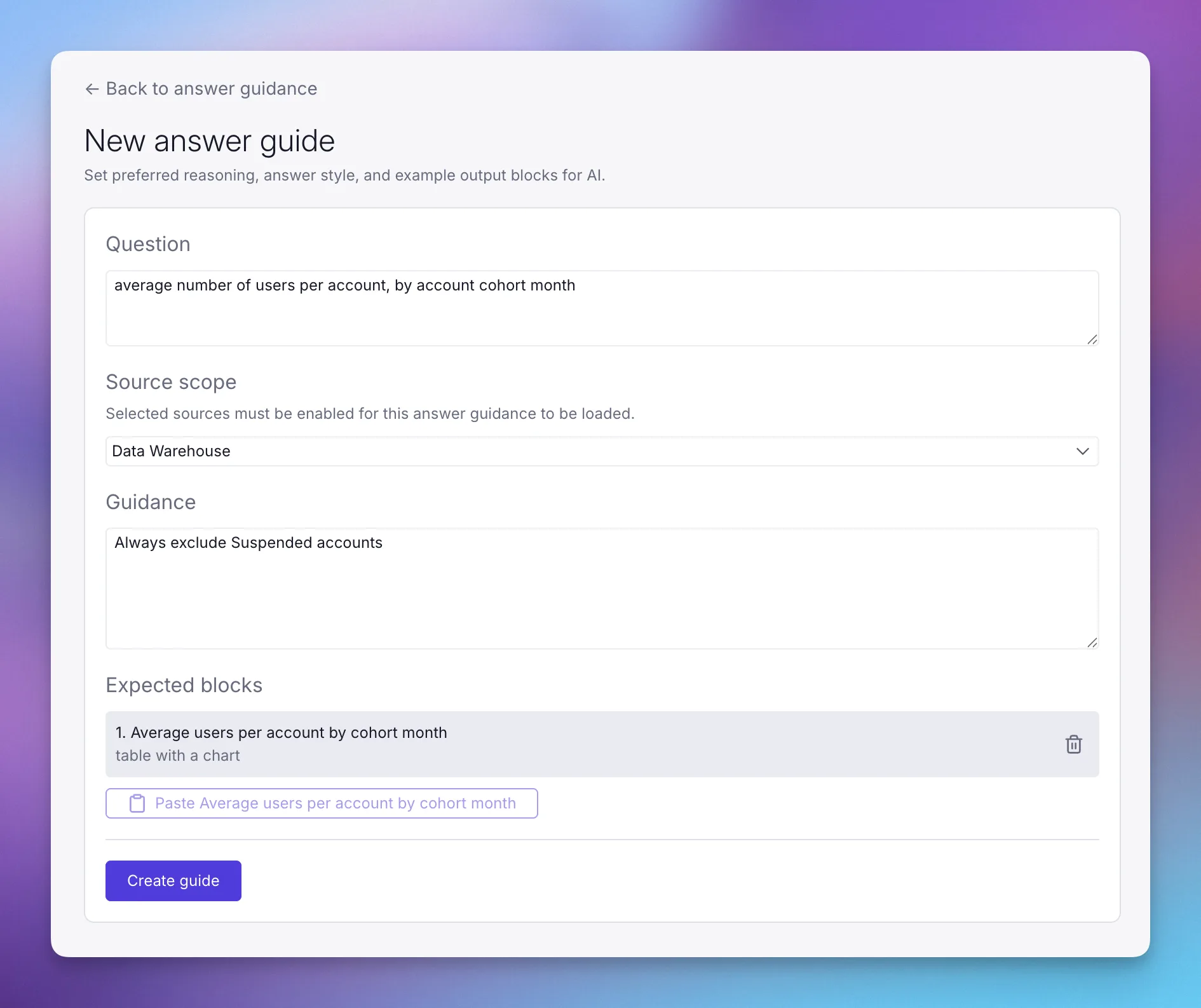
For database questions, you can copy finished tables and charts from an exploration and paste them directly into a guide.
Written guidance can be used to provide additional instructions for how to analyze and present answers, or what to search for from where.
Manage answer guidance under Settings → AI → Answer guidance.
Your history of exploring data in Supersimple is now automatically saved and summarized in your personal activity history. Open the new Activity tab on the History page to pick up exactly where you left off.
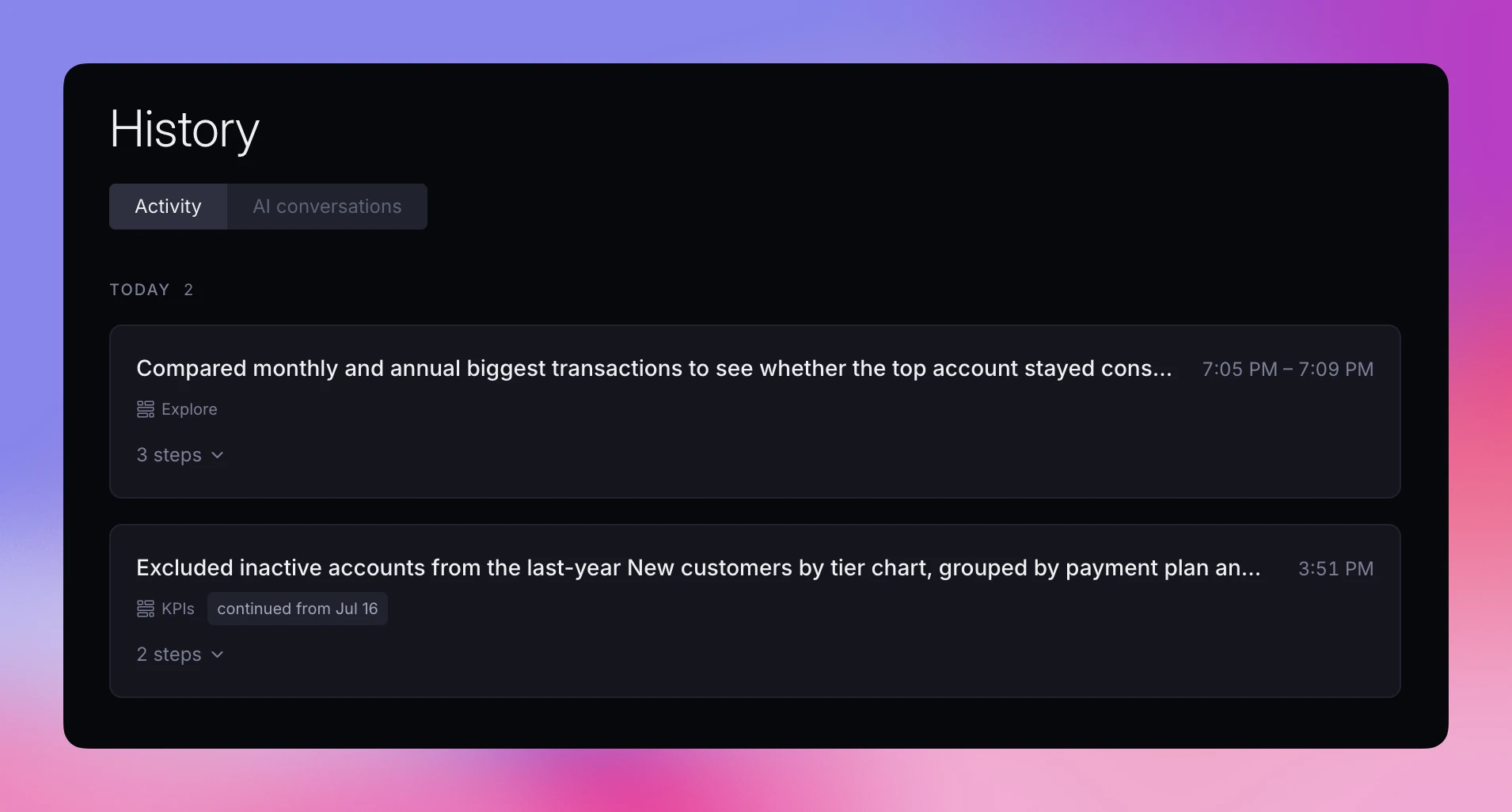
Your history is grouped into sessions based on both time and context-switching, summarized, and displayed with a full timeline of the steps you took.
Date fields in your data model can now declare the calendar precision they represent. For example, if a field contains one value per month, set its precision to month:
properties:
  subscription_month:
    name: Subscription month
    type: Date
    precision: month
Supersimple uses the declared precision by default when grouping the field, while still letting you choose a different precision in an exploration. It also preserves the precision through derived models, custom formulas, funnels, and date aggregations.
Supported precisions are year, quarter, month, week, day, and hour.
Supersimple now continuously analyzes AI agent traces against your data models and provided context. It proactively surfaces missing data, ambiguous definitions, missing context, and unclear business terminology.
Supersimple's Inbox detects trends across different conversations, workflows, and users, grouping related findings into actionable items with links to the original conversations.
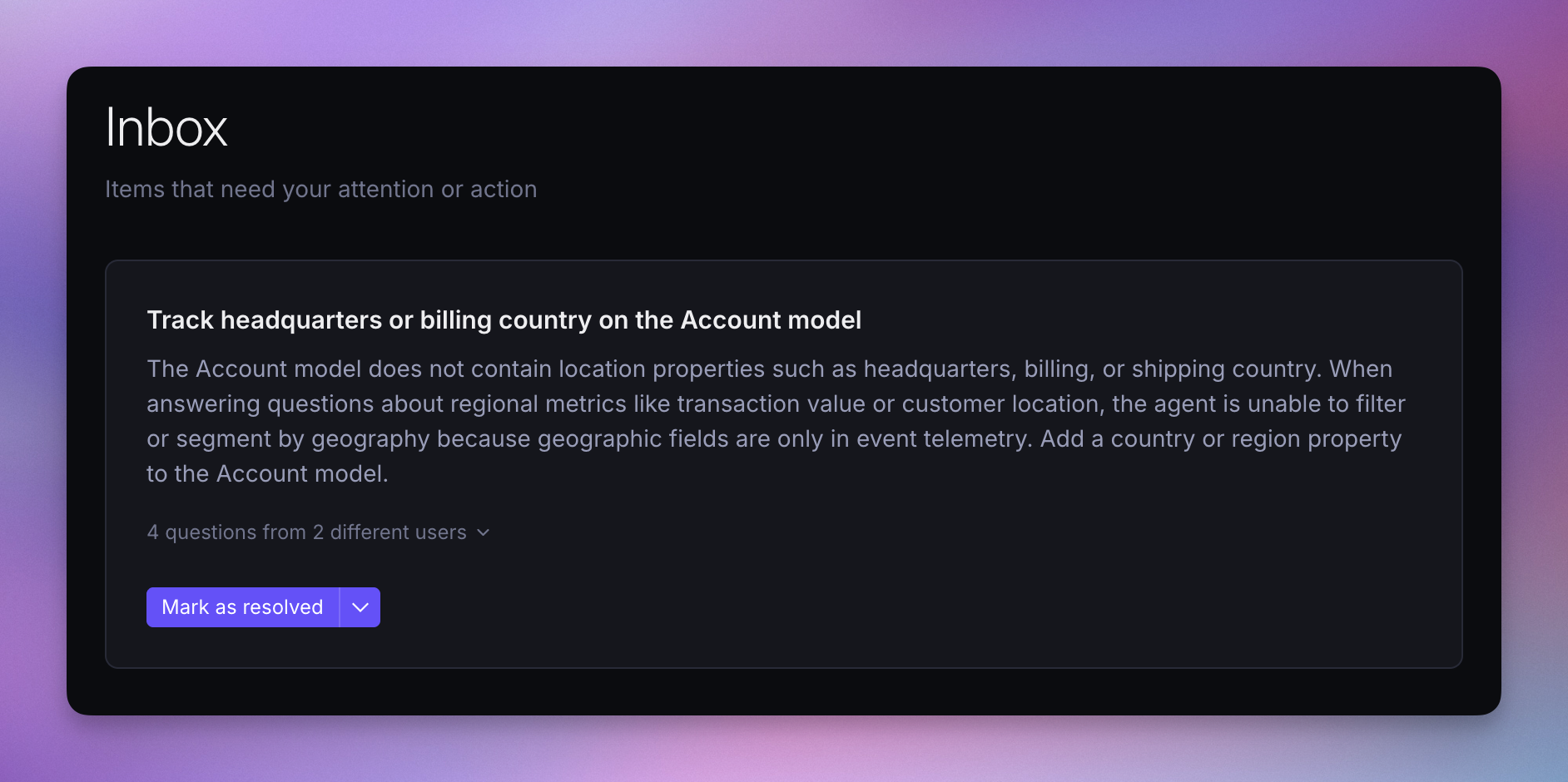
Data teams use the Inbox to prioritize high-impact improvements to data models and AI context, then mark them as resolved once addressed.
Inbox is also accessible via the Supersimple MCP, allowing your favorite coding agent to use the Inbox as input for future work.
Supersimple's Model Context Protocol (MCP) server now lets you use Supersimple's AI with your entire company's context, right from inside Claude, Cursor, or any other MCP-capable assistant.
Once it's connected, your favorite AI assistant gains an Ask Supersimple tool to use whenever it needs to access any of the data you've connected to Supersimple. Answers respect your access, just like when asking from inside Supersimple's app.
See our MCP server docs to get set up.
If you are deciding whether to connect Claude directly to your data stack or use a governed analytics layer underneath it, see our Supersimple vs Claude for BI comparison.
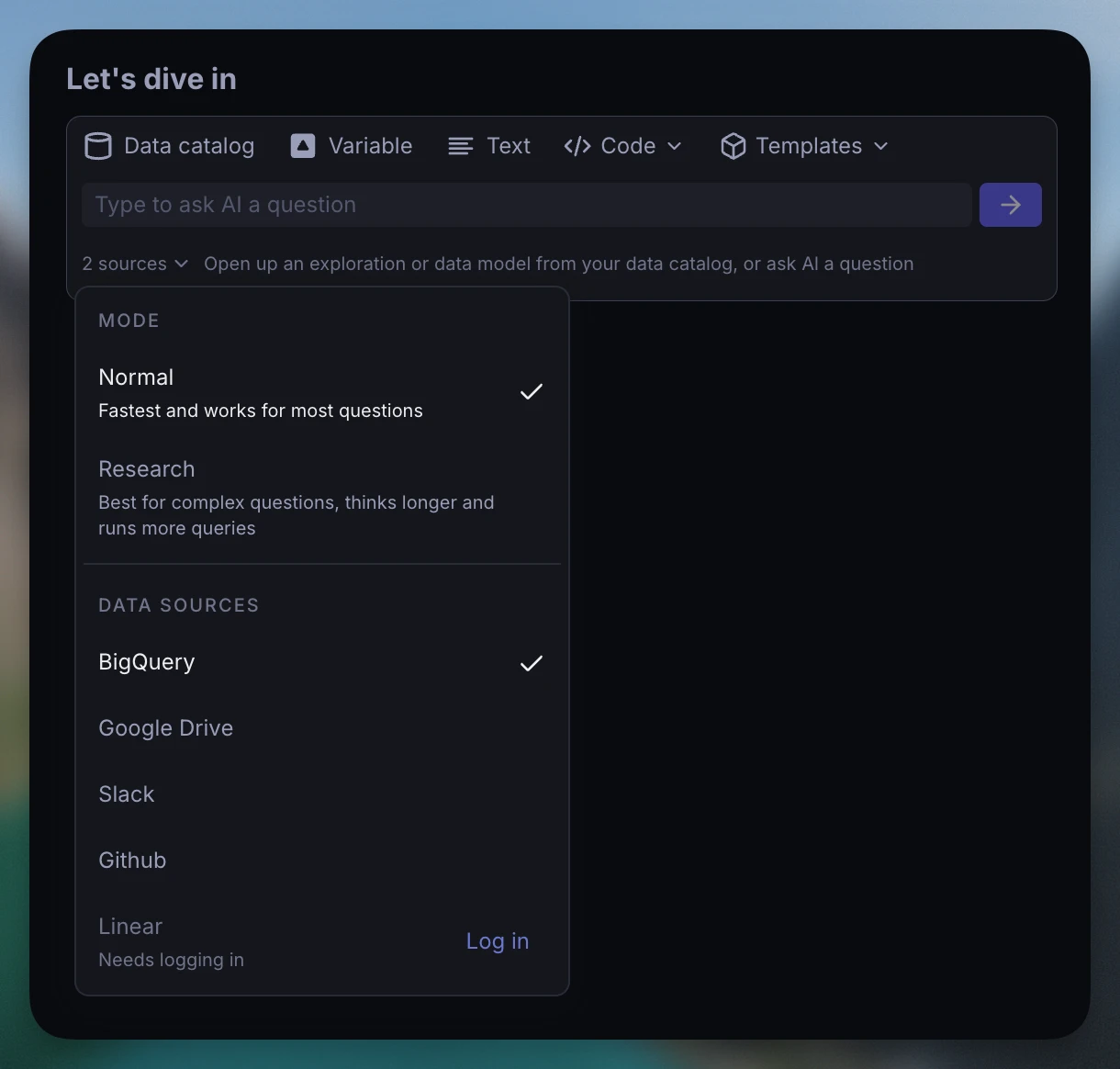
You can now connect any custom MCP (Model Context Protocol) server to Supersimple. Users can select it under the AI sources selector, alongside Supersimple's native integrations.
To enable proper access control, each user can separately log in to every given MCP server – authenticating it to act on their behalf.
A Supersimple account can now read from more than one database. Point each data model at the connection it should query with the connection field.
models:
  account:
    name: Account
    table: myschema.account
    # Name of the connection, exactly as it appears in Supersimple settings
    connection: Production Postgres Replica
    primary_key:
      - account_id
Relations (joins) only work between models on the same connection, and queries that try to combine connections are rejected with an explanation of why. To add another connection to your account, please contact support or your account manager.
Tag @Supersimple in any channel it's in, and it answers right there in the thread.
@Supersimple which customers churned last month and why?
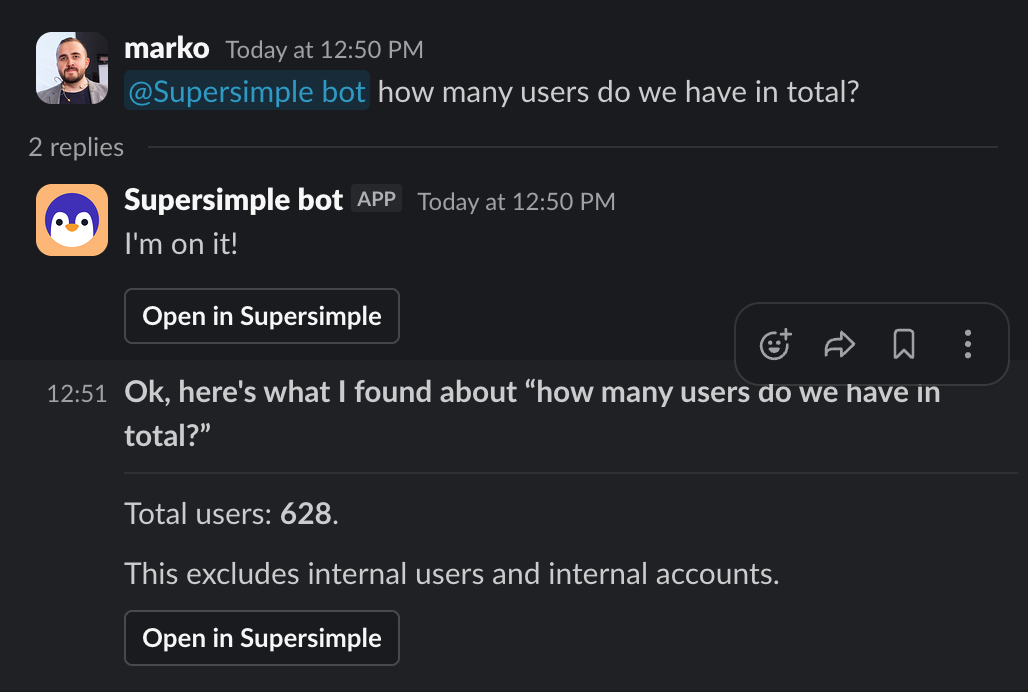
It reacts with 👀, works through the question, and replies in the thread with an Open in Supersimple button for the full exploration. Ask in a public channel and everyone there sees the answer. DM the bot to keep a question private.
Answers respect your access. The bot recognizes who's asking and uses exactly the permissions you'd have inside Supersimple, across every connected source. Two people asking the same thing may get different results.
See the Slack integration docs to get set up.
Connect Supersimple to ClickHouse, MotherDuck, StarRocks, and Apache Spark. Each supports full schema discovery, so your models, explorations, and SQL blocks work exactly as they do with any other source.
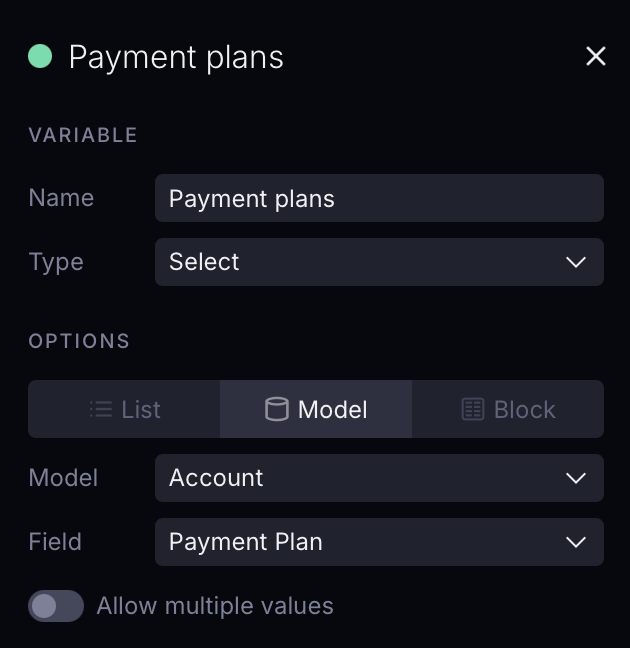
Select variables can now source their options directly from a model field, so a dropdown always reflects your live data.
No more building a helper block for every exploration just to populate the choices. Pick the field and you're done.
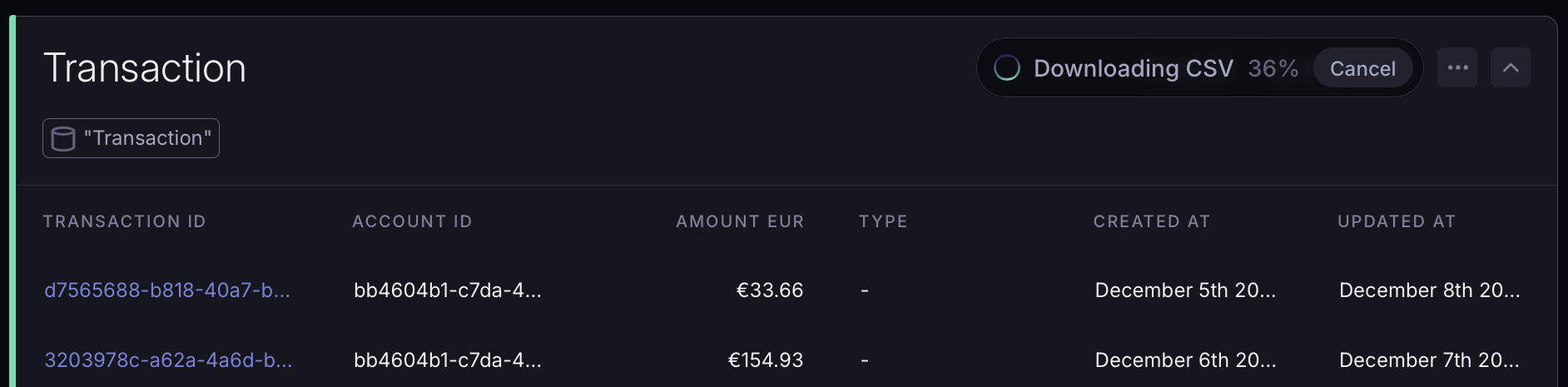
Export as much data as you need. The row cap is gone.
While a large export streams, a live progress chip shows you exactly where things stand: a percentage when the row total is known, or a running row count and elapsed time otherwise.
Changed your mind? Cancel mid-stream with a single click.
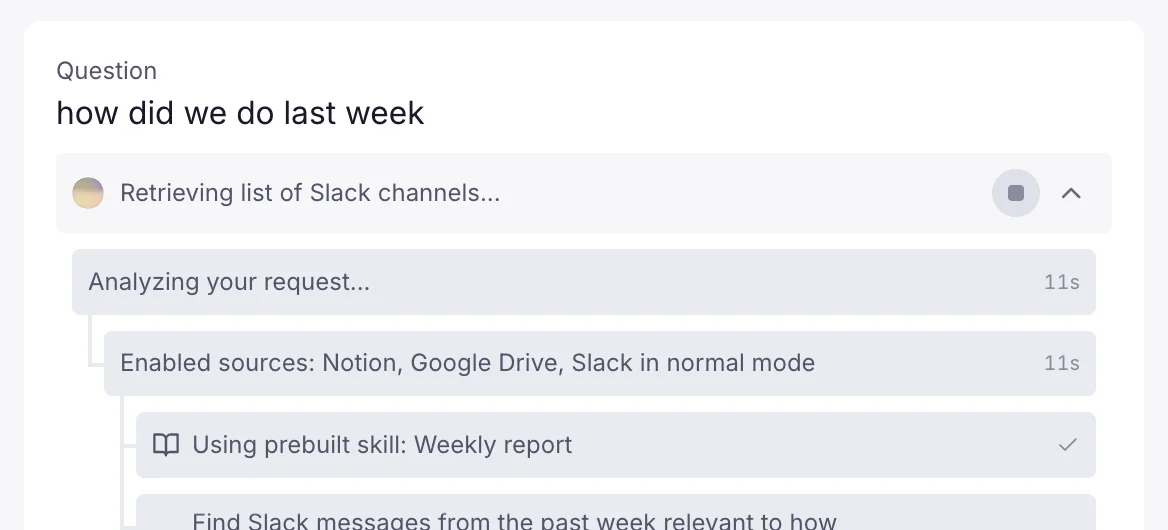
Skills are reusable instruction packs Supersimple's AI agent can load for specific kinds of work. When relevant to the current question, the AI pulls in the skill's full instructions on-demand.
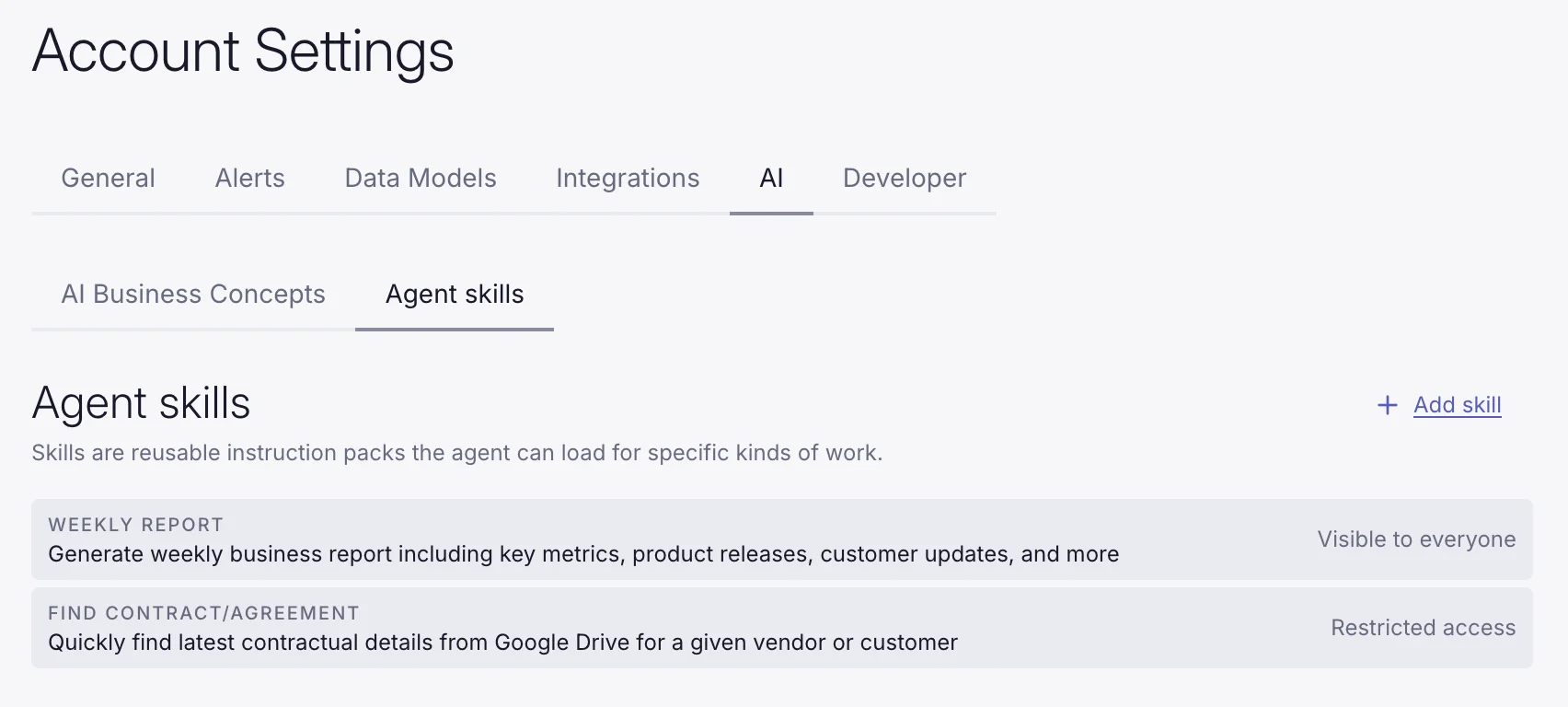
This keeps your base system instructions focused and clear while still giving the agent deep, task-specific guidance where needed. Use skills to capture how your team writes a weekly report, finds the latest contract for a vendor, or any other recurring or complex workflow.
Skills can also be permissioned based on user attributes. Keep in mind that data access permissions still always apply, so the agent will only be able to pull in information from sources and data models the user has access to.
Manage skills under account settings → AI → Agent skills.
AI now collapses steps like intermediary outputs, debug queries, and more. This means you still see everything it did, while keeping the clean, final output front and center.
Accepting the AI's response drops these intermediary steps by default.
Custom formulas now include a dedicated set of array functions for working with list values:
| Function | Description |
|---|---|
array_contains(array, value) | Returns true if the array contains the given value. |
array_length(array) | Returns the number of elements in the array. |
array_to_string(array, delimiter) | Joins the elements of the array into a string with the given delimiter. |
array_get(array, index) | Returns the element at the given position (1-based index). |
array_any(array1, array2) | Returns true if the two arrays share any common element. |
array_all(array1, array2) | Returns true if all elements of the second array are present in the first. |
array_intersect(array1, array2) | Returns an array of elements present in both arrays. |
array_union(array1, array2) | Returns an array of unique elements from both arrays combined. |
array_diff(array1, array2) | Returns elements from the first array that are not in the second. |
Read more in the custom formulas reference.
Date Range variables let you use a single Variable for both the start and end date of a filter. Pick a Dynamic range like "this month", or use Specific dates for things like "January 4th" or "all of February 2026".
You can also type the date range you're looking for in plain English, and see a real-time preview of how we interpreted your input.
Applying the Date Range variables to queries is as easy as filtering for some field "is" and then picking your Date Range variable from the dropdown.
Variables now list every block that uses them, right in the settings sidebar, under "Used in".
User groups allow setting parameters for multiple users at once. Define groups with specific parameters and assign users to them. This way, you can manage permissions for teams or departments without configuring each user individually. User groups can be configured by account admins under settings.
Model-level permissions control who can see and query a data model. Hide entire models from users based on their parameters like properties given via user groups or their email.
Define an access block on the model and combine conditions with AND/OR logic to match departments, regions, specific emails, or anything else on the user.
models:
  salaries:
    name: Salaries

    table: hr.salaries

    access:
      user_parameters:
        department: hr
        data_level: sensitive

    properties:
      employee_id:
        name: Employee ID
        type: String
      salary:
        name: Salary
type: NumberYou can now also use custom user parameters in addition to the user's email to filter rows within a model.
Row-level permissions filter which rows a user can access within a model, using {{user_parameters.<key>}} placeholders injected into SQL at query time. Reference the placeholder in the model's sql and each user sees only the rows matching their own parameters.
models:
  orders:
    name: Orders

    sql: |-
      SELECT * FROM orders
      WHERE region IN ({{user_parameters.region}})

    properties:
      order_id:
        name: Order ID
        type: String
      region:
        name: Region
        type: String